
HVAC After Hours Answering Service for No-Heat Nights
HVAC after hours answering service guide: triage no-heat and no-cool calls, quote your after-hours fee, and reach the on-call tech without waking the crew.
HVAC After Hours Answering Service for No-Heat Nights
Picture a Tuesday in January. It is 10:32 PM, 14 degrees outside, and a family's furnace quits mid-cycle with a hard click and then silence. The thermostat reads 61 and dropping. Upstairs, their two-year-old is asleep. The dad grabs his phone and starts calling HVAC companies, hoping one has a real HVAC after hours answering service.
The first rings out to a voicemail greeting about calling back during business hours. The second takes a message and says it will be passed along. By 10:40 he is on his third call, and this one gets him to the on-call technician. At 10:44 PM he is talking to a person who can send a truck.
This is an illustrative scene, but the pattern is real. An HVAC after hours answering service has one job: make sure that a no-heat or no-cool call at night reaches a person with the authority to dispatch, with the facts already collected, and make sure a call that can wait until morning does not wake that person. That is a different problem from daytime phone coverage, and this post is about the night and weekend half. For the broad picture, see our HVAC answering service: full coverage guide and the HVAC industry page.
Why night and weekend HVAC calls are different
Many home-service calls can wait a day. A no-heat call at 10:40 PM in January is closer to a medical call: the caller is cold, the clock matters, and a caller will often keep dialing until someone answers with a plan. A few things set after-hours HVAC apart.
What an emergency HVAC answering service has to do
Triage first: emergency or next-day work
The first questions on a night call decide everything. Is anyone smelling gas? Is a carbon monoxide alarm going off? Is anyone in the house elderly, sick, or an infant, with no heat or no cooling? A good emergency call handling script asks the life-safety question first. If the answer is yes, the caller is told to leave the building and call 911 or the gas company, and the call goes to your emergency number if you have one set.
Callbook can do exactly that: it transfers gas, fire, carbon monoxide, and electrical-shock calls to a separate emergency number and texts the person picking up the reason. It does not give repair advice, diagnose the unit, or tell a caller to restart something. Beyond "get out and call 911 or the gas company," safety guidance is not its job.
The tech's phone should ring for emergencies only, so the other calls get handled differently. A caller with a next-day need can be booked onto the calendar, since Callbook reads Google Calendar availability at the moment of booking (see the Google Calendar integration) and sends the caller a text confirmation. A caller with a quote question gets answers from your own FAQs. The owner and team get a text summary of every call and can read it at 6 AM. The tech's sleep is protected by what the script does not transfer.
Say your after-hours fee before you dispatch
Many HVAC companies charge a premium for nights, weekends, and holidays. That policy is yours, and the best time to state it is before anyone rolls a truck. If you configure it, Callbook quotes your own prices and estimate ranges, including the after-hours dispatch fee, and can mention a current promotion you have set. If you do not set a number, it does not make one up. Callbook has no night or weekend surcharge of its own.
Reach the on-call tech without a runaround
Many HVAC companies cover nights with an on-call rotation: one tech carries the phone for a week, or the owner takes it. Here is the honest limit. Callbook transfers to one forwarding number, plus a separate emergency number for life-safety calls. It does not read your rotation schedule or page a list of techs in order. The common workaround is simple: point the forwarding number at the on-call phone, and either hand that phone along each week or change the number when the rotation changes. Our glossary entry on on-call rotation covers the usual setups.
If the tech cannot answer, the call should not die. Callbook can take a callback request or a voicemail, which is transcribed and sent to the owner, and it texts the owner and team a summary after each call. That is a safety net, not a replacement for someone actually carrying the phone.
Your options in 2026
There are four realistic ways to cover your after-hours HVAC calls (our after-hours answering service page covers the general version). Each has real tradeoffs.
Voicemail
Every phone has it, and it loses the caller. Someone with no heat will often try the next number before the beep. Voicemail is fine for non-urgent calls and a poor plan for emergency work.
A live answering service
A live service puts a person on the line, which callers like. Some live services stop at taking a message: the agent writes down the problem and says someone will call back. Ask whether yours can transfer or dispatch. Many live services bill by the minute, and some by the call, and 24/7 coverage can cost extra. If you want a 24 hour HVAC answering service staffed by people, a live service delivers that, and you pay per minute for it.
A virtual receptionist
A virtual receptionist is usually a person or small team answering under your company name, between a live service and a full-time hire. Its strength is judgment: a person can handle an odd call that does not fit a script. Its weak spots are cost and coverage. Ask whether someone is actually on shift at 2 AM on a Sunday, and whether they know your emergency rules. For a deeper look, see our guide to AI receptionist vs. virtual receptionist.
An AI receptionist
An AI receptionist answers every forwarded call, 24/7, in a natural-sounding voice, in English and Spanish. It can triage, quote your fees, book the next-day visit, and transfer the true emergency. Its limits are real: the rotation limit covered above applies, it does not collect payment on the call, it does not integrate with dispatch or field-service software, and it does not calculate drive time (only a flat buffer you set after each job). It cannot look at the furnace, so it works best when your script is clear about what happens next.
| Option | What happens at 10:40 PM | Strength | Watch out for |
|---|---|---|---|
| Voicemail | Caller hears a greeting and a beep | Free, simple | Many callers hang up and try the next company |
| Live answering service | A person takes a message | Human voice | Often message-only, so check the service; 24/7 can cost extra |
| Virtual receptionist | A person answers as your company | Human judgment | Cost; ask about overnight staffing and your rules |
| AI receptionist | Triage, fee quote, booking or transfer | 24/7, consistent script | One forwarding number; no rotation lookup |
How much does an after hours HVAC answering service cost?
Scenario (illustrative numbers): An HVAC company forwards only its after-hours calls to Callbook. In a cold January month it gets about 90 of those calls, averaging 3 minutes each. That is 270 minutes for the month.
Now say a cold snap pushes the same company to 400 minutes in a month. On Callbook Starter that is $79 + (150 x $0.40 = $60) = $139. Growth at $149 with 500 minutes only starts to pay off once a month runs past about 425 minutes. The base price is the same every month, and minutes past the included amount cost $0.40 each. Your numbers will differ. The Callbook pricing page and the compare page for answering services have the details.
The January call, handled three ways
Now picture the same 10:40 PM call reaching one company, set up three different ways. The furnace quit eight minutes ago, the toddler is asleep upstairs, and the dad has just dialed.
Voicemail
Six rings, a greeting, a beep. The dad hangs up before leaving a message and calls the next company. The company may never learn the call happened, and by morning the family has a technician coming from somebody else.
The live answering service
A real person answers and is kind about it. She takes the name, number, and "furnace not working." The message goes to the on-call tech, who is asleep with his phone across the room. The family does not know if anyone is coming. Within a few minutes the dad has moved on to the next number on the list. The service did its job, but the job was to take a message.
An AI receptionist with an emergency transfer
The call is answered, and the first question is about safety: does anyone smell gas, or is a carbon monoxide alarm going off? The answers are no, so this is an urgent no-heat call, not a life-safety call. The AI asks who is in the house (a two-year-old), confirms the address is in the service area, and quotes the after-hours dispatch fee as the owner configured it.
Then it rings the forwarding number, which the owner pointed at the on-call phone that week, and texts the reason for the transfer to whoever picks up.
He picks up at 10:44 PM, still half asleep, and already has the reason: no heat. He tells the family when he can be there. That timing is his promise to make, not the AI's. If he had not picked up, the AI could have taken a callback request or a voicemail, and the owner would have gotten a text summary.
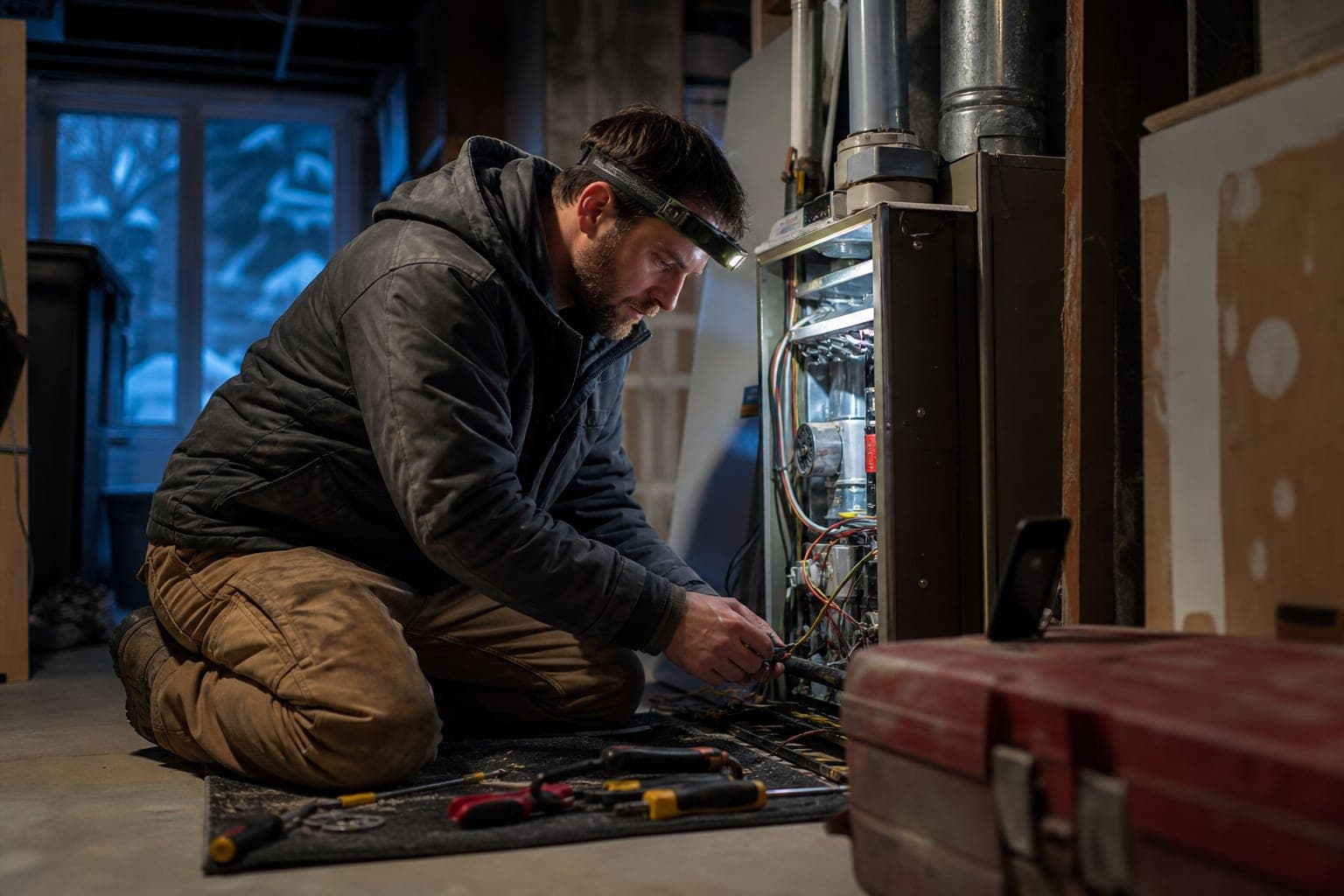
By 11:30 PM he is kneeling beside the open furnace in the basement with a headlamp on and his phone propped on a toolbox. The family never had to keep dialing.
What the call should capture
An after-hours call script for an HVAC company should collect the same few things every time, so the on-call tech can decide in seconds.
1. The life-safety screen: gas smell, carbon monoxide alarm, anyone in distress. If yes, leave the building and call 911 or the gas company.
2. Name, callback number, and address, with the address checked against your service area.
3. The symptom in plain words: no heat, no cooling, leaking water, a strange smell or noise.
4. Who is in the house: infants, elderly, anyone affected by cold or heat.
5. Their answer on the after-hours fee, after hearing it.
6. Whether it can wait for morning, as the caller describes it.
Callbook records and transcribes every call and texts the owner or team a summary.
How to choose an HVAC after hours answering service
Ask these questions of any provider, including Callbook:
For more on night coverage across trades, see our after-hours call handling guide. Weather spikes are covered in winter storm emergency calls.
Back to the Tuesday night
On that January Tuesday, the family needed three things in order: to know whether the house was unsafe, to hear what it would cost, and to reach a person who could actually fix it. The voicemail and the message service gave them none of those. The third call gave them the safety screen and the fee, and put them on the phone with the on-call tech within about four minutes, who gave them the arrival time. Every call that could wait until morning went to a quiet phone instead.
A good HVAC after hours answering service gives you a better shot at keeping emergency jobs, fewer 2 AM wake-ups for calls that could wait, and a tech who still answers his phone in February.
Try Callbook free - answer the no-heat call at 10:40 PM and let the rest wait until morning.
Related Reading
Frequently asked questions
What is an HVAC after hours answering service?
It is a service that answers your company phone at night, on weekends, and on holidays, sorts true emergencies from next-day work, and gets the right call to your on-call technician. A good one asks the right first questions (gas smell, carbon monoxide alarm, who is in the house), confirms the address, and either transfers the call or books the visit. It should also leave your on-call tech asleep when the call can wait until morning.
Do I need a 24/7 HVAC answering service, or is voicemail enough?
Voicemail works for a caller who is willing to wait until morning. A family with no heat in January may not wait, and some callers will dial the next company before they finish leaving a message. If you run emergency service, a 24/7 HVAC answering service that answers promptly gives you a better chance of keeping that job.
How does an emergency HVAC answering service handle a gas smell or carbon monoxide alarm?
The right answer is not a repair appointment. The caller should be told to get everyone out of the house and call 911 or the gas company first. Callbook can transfer a life-safety call (gas, fire, carbon monoxide, electrical shock) to a separate emergency number you set, and it texts the person picking up the reason for the transfer. It does not give any other safety or medical advice.
Can an AI quote my after-hours service fee?
Yes, if you configure it. Callbook quotes the prices and estimate ranges the owner sets, so the caller hears your own after-hours fee policy before a technician is dispatched, in your wording. It does not invent a price or promise an arrival time it has not checked.
How much does a 24 hour HVAC answering service cost?
Many live services bill by the minute, and some by the call, and 24/7 coverage can cost extra with some providers. The worked example in this post shows illustrative numbers. Callbook voice plans run $79-299/month, starting at $79/month with 250 minutes included and $0.40 per extra minute, with no night or weekend surcharge.
Related Articles

Best HVAC Answering Service in 2026: AI vs Live Options
Compare HVAC answering services — AI vs live operators. See pricing, features, and why HVAC companies are switching to AI phone systems.

Best Answering Service for Junk Removal Companies (2026)
Compare junk removal answering services for 2026: 24/7 AI vs live operators, real pricing, and how to quote and book pickups while the crew is loading.

Best Answering Service for Landscaping Companies (2026)
Compare answering services for landscapers. AI vs live operators, seasonal demand handling, and how to never miss a lawn care lead again.