
AI Answering Service for Cell Phone: How It Works
An AI answering service for cell phone owners: forward missed calls, keep family calls personal, and set up iPhone or Android forwarding. See what it texts you.
AI Answering Service for Cell Phone: How It Works
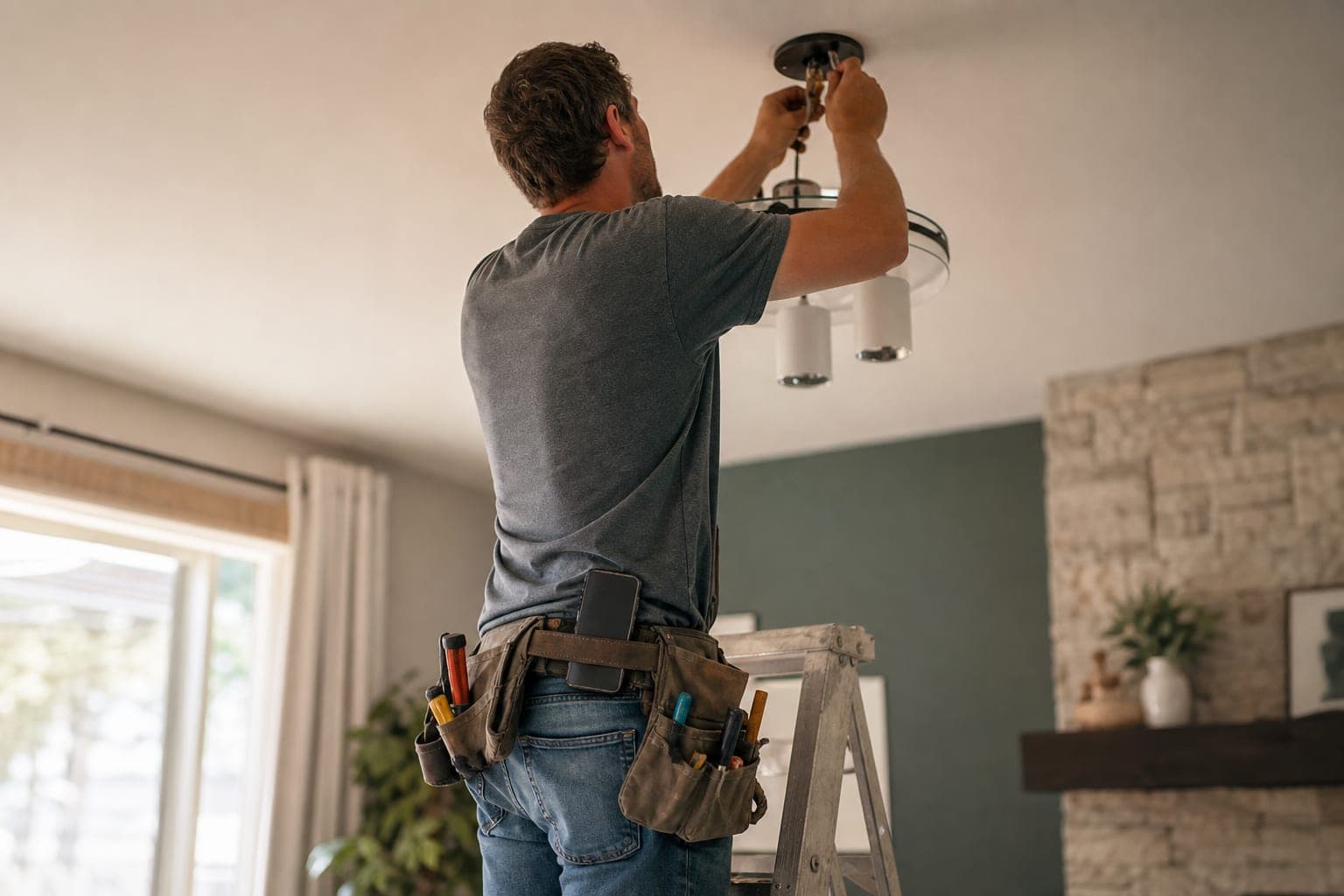
Picture a solo handyman on a Tuesday afternoon. He is on a stepladder in a bright living room, one hand holding a ceiling light fixture against the box and the other holding a bundle of wires. His tool belt is on, and his phone sits in a pouch on it. It buzzes. It is 4 PM, and that is the fifth buzz since lunch.
What he needs is an AI answering service for cell phone owners, and he doesn't know it yet. He can't tell who it is. This is the only number he has: it is on his truck, his Google listing, and his kid's school emergency form. It could be a new customer asking about a ceiling fan. It could be the school nurse. The power is off at the breaker, but both hands are full of wiring, so he can't check. He lets it ring and keeps working. The phone buzzes again.
By 9 PM, homework is half finished and the kid is asking to be tucked in, and the phone is still lighting up with work. A stranger wants a quote on a gate latch. He answers it standing in the kitchen, and he is no good to either of them.
If your business line is also your personal cell, this is the problem an AI answering service for cell phone owners is built to fix. Here is how it works, what you can forward, and how to keep family calls out of it.
What an AI answering service for cell phone owners does
An AI answering service answers calls for you when you can't. You keep your number. You tell your carrier to forward calls to a second number, and the AI picks up there in a natural-sounding voice, 24 hours a day, in English or Spanish. It asks what the caller needs, checks their address against your service area, quotes the prices you configured, and can book an appointment on your Google Calendar. Then it texts you a summary. If you do mostly handyman work, see our handyman industry page for how Callbook fits that kind of business, and our AI receptionist for small business page covers the wider picture.
In short, your phone stays your phone, and a second line catches the calls you can't take. Any service that works by forwarding follows the same pattern: the carrier forwards the call and the service answers it.
Callbook works this way. It is one option, and it has limits worth knowing: it will not take payments on a call, and it does not calculate drive time between jobs, only a flat buffer after each job that you set. The forwarding steps in this guide apply to any service that works this way. The features we describe, such as the summaries and booking, are Callbook's.
If your question is about a full business phone system with extensions and desk phones, that is a different decision, and our business phone system guide covers it. This post is for the owner whose whole phone system is the phone in their pocket.
Ways to forward a cell phone to an AI receptionist
Call forwarding is the mechanism underneath all of this, and you have four practical choices. Callbook supports each of them.
Forward only calls you don't answer
Your phone rings first. If you don't pick up, or you are busy on another call, or the phone is off, the call moves to the AI. This is the lowest-friction setup, and it is a natural place for a one-person shop to start. You get first chance at every call, and the AI catches the rest.
The catch is that you can't tell your carrier which callers to skip. A missed call from your sister gets forwarded the same as a missed call from a stranger. More on that below.
Forward all calls
Every call goes straight to the AI, and your phone never rings. This is the right setting for a day when you can't answer at all: you are on a roof, under a sink, or in a crawlspace with a flashlight in your teeth. It also means the AI hears every call, including the personal ones, so many owners treat it as a temporary switch rather than a permanent setting.
Forward only after hours
If your pain is nights and weekends, you can send only after-hours calls to the AI. Callbook supports an after-hours setup. Many cell carriers' basic forwarding settings don't run on a schedule (check yours), so a practical version is turning forward-all on when you stop work and off in the morning, or using a business phone system that supports schedules. Our after-hours answering service page covers the after-hours model in more detail.
Simultaneous ring
Simultaneous ring rings your phone and your Callbook number at the same time. If you can answer, you take the call. If you can't, the AI is already on the line. Callbook supports this, but on a plain cell line it depends on your carrier or a phone system sitting in front of your number, so ask your carrier what they offer before you plan around it.
Keeping personal calls personal
This is the question owners ask first, so here is the honest version.
Carrier forwarding looks at the call, not the caller. Don't count on the AI to sort family from customers. Callbook answers every forwarded call and texts you a summary, so plan for personal calls to be forwarded too. A missed call from family ends up as a short text rather than a lost call. That is a fine outcome for most, and an annoying one for some.
The AI does recognize returning callers by phone number and can see their job history, which helps your repeat customers. A few ways to keep the line between work and family clean:
A cell phone has no off switch for work. Customers call when they think about the problem, which is often at night. The fix is not to ignore calls. It is to decide ahead of time when the phone is a work phone. A simple routine works for many owners:
1. Set an end-of-day time. Say 6 PM. At that time, leave missed-call forwarding on and let the phone sit in another room.
2. Mute work notifications, not the phone. Use a phone filter to keep your family's numbers ringing through, and let the AI text summaries wait until morning.
3. Read summaries at a set time. Ten minutes with coffee beats checking the phone at bedtime.
4. If you used forward-all that day, turn it off in the morning. Otherwise family calls keep going to the AI.
The AI answers the caller, so you don't have to be the one taking a gate-latch quote in the kitchen at bedtime. Many callers only want to know that someone has their request and when they will hear back.
How to forward your cell phone: AI answering service for iPhone and Android
Setup is a carrier setting, not an app. Always check with your carrier - codes and charges vary - and test with a call from another phone when you finish.
AI answering service for iPhone
On an iPhone, go to Settings > Phone (in newer iOS, Settings > Apps > Phone) and open Call Forwarding. This works on carriers that support it, generally AT&T and T-Mobile. Verizon customers set forwarding with dial codes instead. Enter your Callbook number as the destination. Our step-by-step guide to forwarding calls to an answering service lists the carrier codes, including the ones for forwarding only unanswered calls.
AI answering service for Android
On Android, open the Phone app, then Settings, then Calls or Supplementary services, then Call forwarding. Menu names vary by phone maker and carrier, so if you can't find it, search your settings for "forwarding."
Two things to test either way
First, call your cell from another phone and let it ring out to be sure the AI answers. Some carriers bill forwarded calls as airtime, so check your plan.
Second, if the AI needs to transfer a call to you, it rings the number you set for transfers (Callbook calls it your forwarding number). If that number is your own cell and forwarding is on, the transfer can come straight back to the AI: always with forward-all, and with missed-call forwarding whenever you don't pick up. Test a transfer with a second phone before you rely on it, and if you can, give Callbook a transfer number that will actually ring a person.
One more setup step for a trade that works around wiring and gas: for a life-safety emergency such as gas, fire, carbon monoxide or electrical shock, the AI can ring a separate emergency number you set. It tells callers to leave the building and call 911 or the gas company first, and it does not give safety advice beyond that.
What the AI sends you
After each call, Callbook texts you a summary. If something was booked, the caller also gets a text confirmation. Every call it answers is recorded and transcribed, so you can read what was said instead of listening to a voicemail. If it can't transfer a call, it takes a callback request. If nobody can take a transfer, it can take a voicemail, which is transcribed and sent to you.
For a one-person business, the text summary is the key piece. You can read it between jobs in a few seconds and call back only the customers who need you. A new caller who gave their address and wants a Thursday estimate can already be on your calendar. For the details on how bookings work, see the Google Calendar integration. For a different way to follow up on calls you miss, see our missed call text back page.
A worked example: what it costs a one-person shop
Scenario (illustrative numbers): a solo handyman gets about 110 calls a month on his cell. Calls the AI handles average 3 minutes.
Callbook's base price is the same every month, and minutes past the included amount cost $0.40 each, with no night or weekend surcharge. The point of the example is that forwarding only what you miss keeps the bill near the base price. For a longer breakdown, see the AI receptionist cost page.
Common mistakes when forwarding your cell phone to an AI answering service
Where an AI receptionist for cell phone use fits, and where it doesn't
An AI receptionist for cell phone use fits owners who are alone on the job and lose calls while their hands are busy. It does not replace you, and it does not collect payments on a call. A live answering service is another route: companies like Ruby put a human receptionist on the line at around $235+ a month for 50 receptionist minutes, and a person may be what you want for sensitive conversations. Our answering service comparison lays out the options.
Back to the ladder
Run the Tuesday again with forwarding on. At 4 PM, the fifth buzz comes in while the handyman is on the stepladder with the fixture in his hands. He lets it ring. It goes unanswered and forwards to the AI, which asks the caller what he needs. A short text lands on the phone: a new customer, a ceiling fan install, an address inside his service area, and an estimate booked for Thursday at 10 AM. He finishes the wiring, comes down off the ladder, and reads it with the fixture already up.
At 9 PM, the phone did not need him. He had left missed-call forwarding on, silenced everything except his family's numbers with a phone filter, and the gate-latch quote was taken by the AI and waiting as a text for the morning. Homework got finished. The kid got tucked in by a dad who was not looking at a screen.
Checklist before you forward your cell
1. Pick your mode: missed calls, all calls, after hours, or simultaneous ring.
2. Fill in your services, hours, prices and service area.
3. Connect your Google Calendar and set your buffer between jobs.
4. Set your carrier forwarding on your iPhone or Android, or with dial codes.
5. Test a normal call, a missed call and a transfer from a second phone.
6. Decide your end-of-day time and when you read summaries.
7. Tell the school and family how to reach you.
The Tuesday that started with a ceiling fan call at 4 PM and a gate latch call at 9 PM does not have to cost you the kitchen table. Forward the calls you can't take, and let the rest of the day belong to the people in it.
Try Callbook free - keep your number, keep your evenings, and let the calls you can't take get answered.
Related Reading
Frequently asked questions
Can I use an answering service for my cell phone without changing my number?
Yes. You keep your cell number and set your carrier to forward calls to a separate number from the answering service. With Callbook you forward to your Callbook number, so customers keep dialing the same number they always have, and the AI answers whatever gets forwarded.
How does an AI answering service for iPhone work?
On an iPhone you set call forwarding in Settings under Phone (in newer iOS, Settings > Apps > Phone), which works on carriers that support it, generally AT&T and T-Mobile. Verizon customers use dial codes instead. Once forwarding points at your Callbook number, the AI answers the forwarded calls, takes the details, and texts you a summary. Carrier menus and codes vary, so test with a call from another phone.
Will an AI receptionist for cell phone calls answer my family and friends too?
Carrier forwarding works on the call, not the caller, so a missed call from family gets forwarded along with a missed call from a customer. The AI answers every forwarded call, and you get a text summary afterward. If that bothers you, forward only after hours or only on days you are on job sites, and keep your family on a separate number if you can.
Should I forward all calls, only missed calls, or only after hours?
Forward only the calls you don't answer if you want to stay in control during the day and let the AI catch what you miss. Forward all calls on days you are on a roof or under a sink and cannot pick up. Forward after hours if your problem is evening and weekend calls. Simultaneous ring, where your phone and Callbook ring together, lets you grab the call if you can and let the AI take it if you can't.
How much does an answering service for a cell phone cost?
Live answering services vary widely by provider and by how many minutes or calls are included, so compare current plans before you choose. Callbook starts at $79/month with 250 minutes included, month to month with no setup fee, and minutes past the included amount cost $0.40 each. Forwarding only the calls you miss keeps the minutes down.
Related Articles

Best AI Phone Systems for Contractors in 2026
Compare AI phone systems built for contractors. HVAC, plumbing, electrical — find the right AI receptionist that books jobs and handles emergencies 24/7.

Answering Service With Google Calendar Integration: What Real Booking Looks Like
Buyer's guide to an answering service with Google Calendar integration: what real booking needs, the three levels vendors sell, and what to ask before you buy.

Best Phone System for Small Service Business in 2026
Compare phone systems for service businesses — VoIP, AI receptionist, traditional landline, and virtual phone. Find the right fit for your budget.