
Auto Attendant vs AI Receptionist: What's the Difference?
Auto attendant vs AI receptionist: a menu routes calls, an AI answers and books them. Compare features, costs and when a phone menu is still enough.
Auto Attendant vs AI Receptionist: What's the Difference?
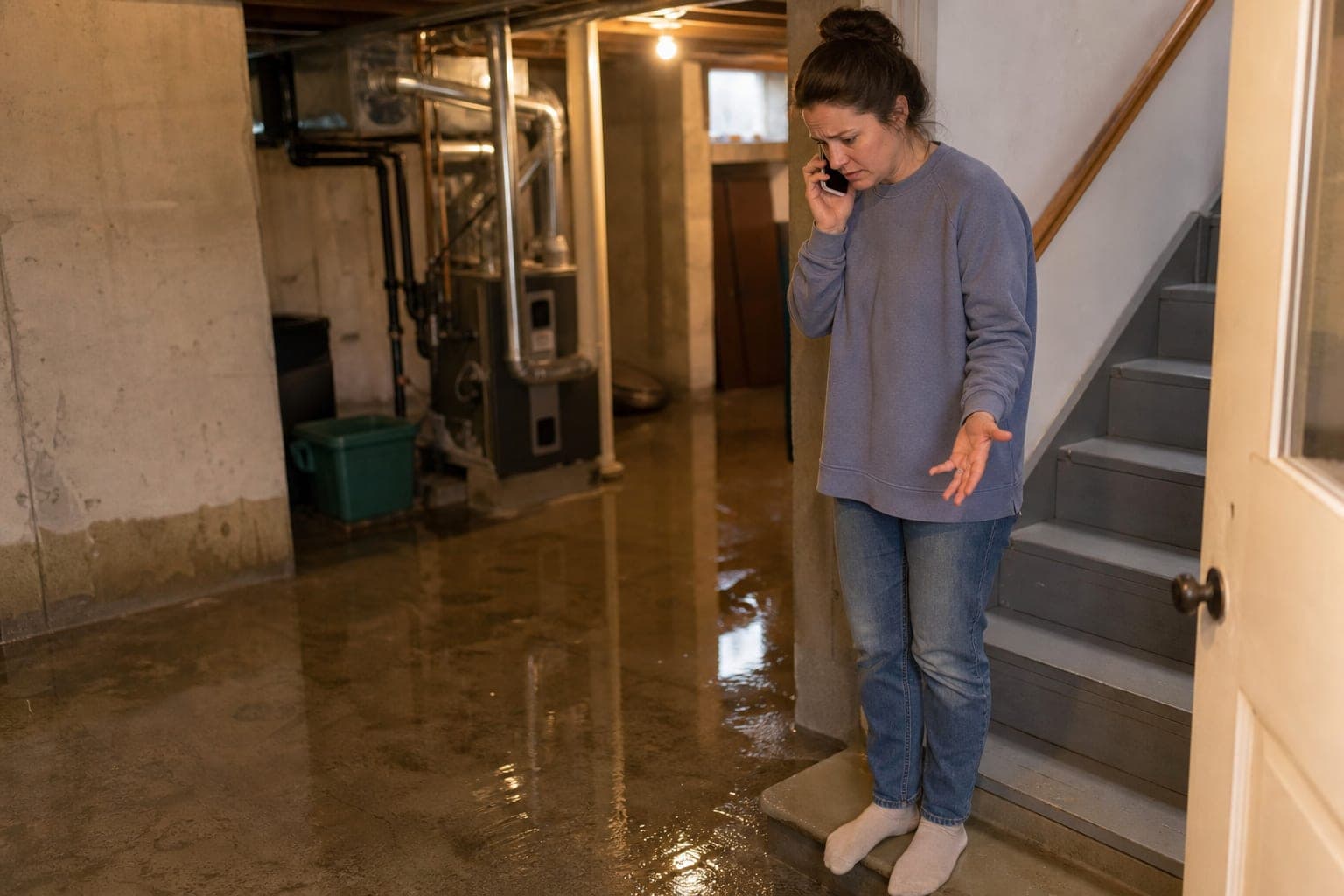
Picture this: it is 2 PM on a Saturday, and a homeowner walks downstairs to find a thin sheet of water spreading across the basement floor. She calls a plumbing-and-HVAC company she found online, and a recording - an auto attendant - answers: "Thank you for calling. Press 1 for scheduling. Press 2 for billing. Press 3 for maintenance plans. Press 4 for..." She is standing on the bottom step in her socks, watching the water spread toward the furnace. She hangs up before the menu finishes and calls the next company on the list.
At the second company, the call is answered in a calm, natural voice: "Thanks for calling - what's going on?" She explains. It asks where the water is coming from, whether it is still coming in, and her address, then checks the schedule, offers a 3:30 slot, and texts her a confirmation when she takes it.
That is the auto attendant vs AI receptionist difference in one phone call. The short answer: an auto attendant is a keypad menu that routes calls to a person or voicemail. An AI receptionist (see AI receptionist for contractors) holds a conversation, answers questions, takes job details, and books the appointment. One sends the caller somewhere; the other handles the call.
Both count as automated phone answering, but they do different jobs, and the difference decides whether calls like hers turn into booked work.
What is an auto attendant (and what can't it do)?
An auto attendant is a phone system feature: a pre-recorded greeting followed by a keypad menu that routes callers to extensions, departments, or voicemail. Many business VoIP systems include one, including RingCentral, Nextiva, Dialpad, and Grasshopper. You may see it called an automated attendant, a phone tree, or a phone menu; the auto attendant glossary definition covers the terminology.
What an auto attendant is good at:
What it cannot do:
Auto attendant vs IVR
An auto attendant routes by keypad. IVR (interactive voice response) can also take spoken answers and look up account information, like an order status. Neither holds an open-ended conversation. For how IVR compares with an AI receptionist, see IVR vs AI receptionist.
What an AI receptionist does differently
An AI receptionist uses conversational AI to answer the call, talk with the caller in a natural voice, and act on what it hears. Instead of a menu, the caller just says what they need.
What it can do:
It is not a person, and it should not pretend to be one. It also has limits: it does not route callers to different departments (transfers go to one forwarding number), and it does not connect to dispatch or CRM software beyond Google Calendar. But for the calls a small service business actually gets - "can you come out," "how much," "when" - it answers and books instead of routing and waiting.
Auto attendant vs AI receptionist: your options in 2026
1. Auto attendant. Often bundled with business phone plans. Routes calls by keypad; can't answer, book, or take details. Pros: usually included, looks professional, quick to set up. Cons: callers who just want help often hang up on menus, and every booking still needs a person or a callback.
2. Live answering service. A call center answers with your script, takes messages, and transfers calls. Live answering services often start around $235/month and charge per minute past the included amount. Ruby starts around $235/month for 50 minutes and about $4.70 a minute after that, and 24/7 coverage costs extra; PATLive starts around $235/month for 75 minutes. Pros: a real person, good with unusual calls. Cons: per-minute billing, and whether it books or only takes a message varies by provider.
3. Hybrid AI-plus-human service. Smith.ai mixes AI and human agents and bills per call instead of per minute - around $292.50/month for 30 calls. Pros: a person is available for harder calls. Cons: per-call pricing adds up at volume.
4. AI receptionist. Software that holds the conversation and books the job. Callbook starts at $79/month with 250 minutes included and $0.40 a minute after that; voice plans run $79-299/mo. Pros: answers 24/7, no menu, books into your calendar, the same intake every time, and no night or weekend surcharge. Cons: an unusual or sensitive call still needs a person, so transfers have to be easy.
| Feature | Auto attendant | Live answering service | AI receptionist |
|---|---|---|---|
| Answers questions | No | Yes, from your script | Yes, from your FAQs and pricing |
| Books appointments | No | Varies by provider | Yes, into your calendar |
| Takes job details | No | Yes | Yes |
| Urgent calls | Same menu for everyone | Varies by provider | Can transfer to a person; life-safety emergencies go to your emergency number |
| After hours | Recording only | Varies; some charge extra for 24/7 (for example Ruby) | Yes, 24/7 |
| Recognizes returning callers | No | Varies by service | Yes, by phone number |
| Typical cost | Often bundled with phone plan | Monthly base plus per-minute or per-call charges | From $79/mo |
Auto attendant vs AI receptionist: what each costs
Scenario (illustrative numbers): an HVAC company with two technicians gets about 130 calls a month at roughly 3 minutes each (390 minutes). About half are scheduling requests.
Auto attendant: often bundled with the phone plan. But every scheduling caller who doesn't hang up on the menu leaves a voicemail. Say each callback takes 10 minutes once you count phone tag: 65 callbacks is close to 11 hours a month of returning calls, and some of those callers will have booked elsewhere before you reach them.
Live answering service (assumed $250/month including 75 minutes, then $1.50/minute): 390 minus 75 is 315 minutes, and 315 minutes at $1.50 is about $472.50. Add the $250 base and it comes to roughly $722 a month. Callers reach a person, but depending on the service, bookings may still come back to you as messages.
AI receptionist (Callbook): the $79 base covers the first 250 minutes. The other 140 minutes at $0.40 add $56, for a total near $135. Scheduling calls are booked on the call, and you get a text summary of each one.
Run your own numbers with the ROI calculator - call volume and job value both change the answer.
The same basement call, handled three ways
Back to the homeowner on the bottom step:
Auto attendant: "Press 1 for scheduling, press 2 for billing, press 3 for maintenance plans..." She hangs up before the menu finishes. Nothing is captured, and you never know she called.
Live answering service: Say the agent answers, takes her name, number, and address, and passes you the message. You call her back and book the visit - if she hasn't already found someone who could commit to a time.
AI receptionist: The AI answers immediately and asks what's going on. It hears "water in the basement," asks where it is coming from and whether it is still coming in, confirms her address is in your service area, checks the schedule, and offers the first open slot that afternoon: 3:30. She takes it. By the end of the call it has her name, callback number, address, the problem, and the booked time. She gets a confirmation text, and you get a summary: active leak in the basement near the furnace, new caller, booked for 3:30.
If the call needs a person, it can transfer her to your forwarding number and text whoever picks up the reason for the transfer. If you set an emergency number, life-safety situations like gas, fire, or electrical shock go there instead. A flooded basement can also be dangerous, and that part is advice for the homeowner, not something the AI coaches her through: if she smells gas, she should leave the house and call 911 or the gas company from outside, and if water is reaching the furnace, the electrical panel or outlets, she should stay out of the basement and not touch anything electrical. A booking can wait until she is safe.
When an auto attendant is enough
A phone menu still makes sense in a few situations:
If none of those describe you, a menu has nothing to route.
Can you use an auto attendant and an AI receptionist together?
Yes. One workable setup is to keep a short menu and put an AI receptionist behind it. For example: "Press 1 for billing" goes to the office, and everything else - plus every after-hours call - forwards to the AI receptionist, which answers, books, and transfers to your forwarding number when a person is needed. You can also forward only the calls you miss, or only after-hours calls, and keep answering yourself the rest of the time.
How to choose
1. Do most calls lead to scheduling? Then an AI receptionist will save you more time than a menu can.
2. Do you get after-hours calls? A menu can only play a recording. An AI receptionist can book the job at 9 PM.
3. How much time goes to callbacks? If it is hours a week, that time is the real cost of your current setup.
4. Do you have more than one person or place to send calls to? If not, a menu has nothing to route.
How to set up an AI receptionist behind your phone menu
Callbook works with the number you already have: you forward calls to it, either all of them, only the ones you miss, or only after hours. Connect Google Calendar, set your services, hours, and prices, and it starts answering. There is no setup fee and no contract. The call script generator can help you draft what you want it to say.
The homeowner on the basement stairs on that Saturday afternoon didn't want a menu. She wanted someone to say "we can be there at 3:30." An auto attendant can't say that. An AI receptionist that can see your calendar can.
Try Callbook free - replace the phone menu with an answer.
Related Reading
Frequently asked questions
What is a phone auto attendant?
An auto attendant is a pre-recorded greeting followed by a keypad menu - "press 1 for scheduling, press 2 for billing" - that routes callers to extensions, departments, or voicemail. It is a common feature of business VoIP phone systems, including RingCentral, Nextiva, Dialpad, and Grasshopper.
Can an auto attendant book appointments?
No. An auto attendant only routes calls based on which key the caller presses. It cannot answer questions, take job details, or check your schedule, so a caller who wants to book still ends up talking to a person or leaving a voicemail.
What is the difference between an auto attendant and IVR?
The terms overlap. An auto attendant is usually a simple routing menu. IVR (interactive voice response) is the broader call-center technology, which can also take spoken answers and look up account information, like reading a balance or an order status. Neither holds an open-ended conversation the way an AI receptionist does.
How much does an AI receptionist cost compared to an auto attendant?
An auto attendant is often bundled with a business phone plan. Callbook, an AI receptionist, starts at $79/month with 250 minutes included and $0.40 a minute after that. Live answering services often start around $235/month (Ruby and PATLive) and charge per minute past the included amount; Smith.ai bills per call instead. The real comparison is what each one does with the call: the menu routes it, the AI receptionist answers it and can book the job.
Can I use both an auto attendant and an AI receptionist?
Yes. One setup keeps a short menu for billing or a specific department and sends everything else - plus every after-hours call - to the AI receptionist. Or you can skip the menu entirely and let the AI receptionist greet every caller, answer, book, and transfer to your forwarding number when a person is needed.
Related Articles

Best AI Receptionist for Small Business (2026)
Compare the best AI receptionists for small business in 2026 — pricing, features, a hands-on 5-call test to run before you buy, and the red flags that separate real tools from hype.
Call Center for Contractors: Answering Service, In-House CSR, or AI?
Call center for contractors: what a home-service call center does vs an answering service, an in-house CSR, or AI, plus costs and questions to ask.

How Much Does an Answering Service Cost? Live Rates Compared (2026)
How much does an answering service cost? Real per-minute, per-call and pay as you go rates, from about $40 a month, plus a worked example of which bill wins.